Updated 2026-07-12 · 11 min read
🧮 FREE FREE CALCULATOR — INSTANT RESULT
Get your answer in 10 seconds
No signup, no download — the free calculator runs instantly in your browser and shows the full breakdown. The complete guide is below if you want the details.
Open the free free calculator →Free forever · nothing you enter is stored
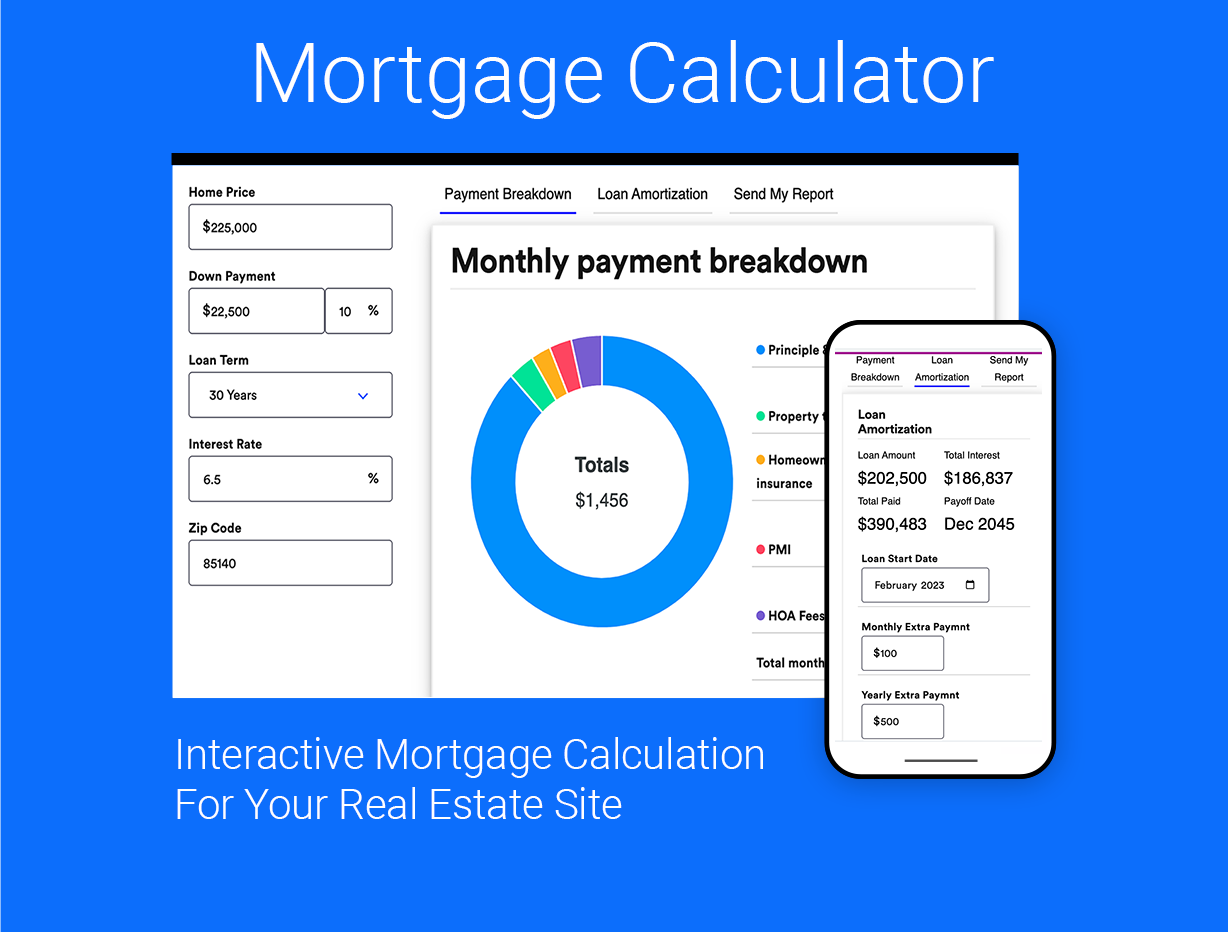
To manually calculate a mortgage payment, use the formula M = P × [r(1+r)^n] / [(1+r)^n - 1], where M is the monthly payment, P is the loan principal, r is the monthly interest rate (annual rate divided by 12), and n is the total number of monthly payments (loan term in years × 12). Here is the step-by-step method with two fully worked examples so you can do it yourself before checking your answer with a mortgage calculator.
The Mortgage Payment Formula Explained Term by Term
Before you can use a mortgage calculator with confidence, you need to understand what each variable actually represents. The formula is the same whether you are looking at a principal and interest calculation or a full payment that includes taxes and insurance.
M — Your monthly payment. This is the number you want. In a standard calculation, this covers principal and interest only. If you add taxes and insurance later, that is an extra step.
P — The loan principal. This is the amount you borrow after your down payment. On a $400,000 home with a 20% down payment, P would be $320,000.
r — The monthly interest rate. Your annual percentage rate divided by 12. If your rate is 6% per year, r = 0.06 / 12 = 0.005. This is the trickiest part to get right in manual calculations.
n — The total number of payments. A 30-year loan has 360 payments (30 × 12). A 15-year loan has 180 payments.
How to Calculate Mortgage Payments Manually: Step-by-Step
Here is the manual method broken into five steps. Work through these slowly and double-check each calculation because small rounding errors can throw your result off by tens of dollars.
Example 1: $320,000 Loan at 6% for 30 Years
Let us calculate the monthly payment for a $320,000 principal (80% of a $400,000 home) at a 6% annual interest rate over 30 years.
Step 1: Convert the annual rate to a monthly rate. 6% = 0.06. r = 0.06 / 12 = 0.005
Step 2: Find the total number of payments. n = 30 × 12 = 360
Step 3: Calculate (1+r)^n. (1.005)^360. Using a calculator with exponent capability: 1.005 raised to the 360th power equals approximately 6.022575
Step 4: Plug into the numerator and denominator. Numerator: r × (1+r)^n = 0.005 × 6.022575 = 0.030112875. Denominator: (1+r)^n - 1 = 6.022575 - 1 = 5.022575
Step 5: Divide numerator by denominator: 0.030112875 / 5.022575 = 0.0059955. Multiply by P: 320,000 × 0.0059955 = $1,918.56 per month.
This figure is the principal and interest portion only. A mortgage calculator with taxes and insurance would add escrow amounts on top of this base number.
Example 2: $240,000 Loan at 7% for 15 Years
Now let us try a shorter term with a higher rate to see how the numbers shift. This is useful for anyone using an affordability mortgage calculator to compare how much they can borrow with different terms.
Step 1: Monthly rate. 7% = 0.07. r = 0.07 / 12 = 0.00583333
Step 2: Total payments. n = 15 × 12 = 180
Step 3: Calculate (1+r)^n. (1.00583333)^180. Using exponent calculation: this equals approximately 2.853264
Step 4: Numerator: 0.00583333 × 2.853264 = 0.016644. Denominator: 2.853264 - 1 = 1.853264
Step 5: Divide: 0.016644 / 1.853264 = 0.008981. Multiply by P: 240,000 × 0.008981 = $2,155.44 per month.
Notice that even though the loan amount is smaller in Example 2, the monthly payment is higher because of the shorter term and higher rate. A rent vs buy mortgage calculator 2026 would use this kind of comparison to help you decide which option makes more sense for your budget.
Common Mistakes People Make When Doing This by Hand
Manually calculating mortgage payments is straightforward but easy to mess up. Here are the most frequent errors and how to avoid them.
Using the annual rate instead of the monthly rate. This is the number one mistake. If you plug 0.06 into the formula instead of 0.005, your payment will be wildly wrong. Always divide by 12 first.
Rounding too early in the exponent calculation. When computing (1.005)^360, rounding to 6.0 instead of 6.022575 will change your final payment by roughly $10 per month. Keep as many decimal places as your calculator allows until the final step.
Forgetting to subtract 1 in the denominator. The formula is (1+r)^n - 1, not just (1+r)^n. Skipping the subtraction makes the denominator larger and the payment smaller than it should be.
Confusing principal and interest payments with total payments. The formula only covers principal and interest. If you want a mortgage calculator with taxes and insurance, you must add those estimates separately. A review of Bankrate mortgage calculator shows they include an escrow estimate, but manual methods often skip this and create a false sense of affordability.
When Manual Calculation Is Fine vs. When You Should Use a Calculator
Manual calculation works well when you are learning the math or checking a single scenario. It forces you to understand how interest rates and terms actually affect your payment. However, for real-world decisions, a mortgage calculator is almost always better.
Manual methods become impractical when you want to compare multiple loan offers, adjust down payment amounts, or factor in private mortgage insurance (PMI), property taxes, and homeowners insurance. Doing all that by hand takes thirty minutes per scenario. A best mortgage calculator app 2026 can run fifty scenarios in the same time.
The free calculator at getmods.click gives you the full breakdown including principal, interest, and total cost over the loan term. It does not store any data you enter, so your information stays private.
Manual vs. Calculator: Speed, Accuracy, and When to Use Each
| Factor | Manual Calculation | Free Calculator |
|---|---|---|
| Speed | 5–10 minutes per scenario | 10 seconds |
| Accuracy | Prone to rounding errors | Exact to the penny |
| Taxes & Insurance | Must calculate separately | Included in one input |
| Multiple Scenarios | Time-consuming | Instant comparisons |
| Best For | Learning the formula | Real purchase decisions |
The table above shows why most people eventually switch to a mortgage calculator for their actual numbers. Manual calculation is excellent for understanding the math, but when you are comparing a 30-year fixed against a 15-year fixed with different down payments, you want speed and accuracy. The free calculator at getmods.click handles all these variables in one click.

Where to Find Accurate Mortgage Calculator Tools
If you are looking for a reliable mortgage calculator online, you want one that uses the exact formula shown in this guide and does not add hidden fees or assumptions. Many sites use outdated tax estimates or require an email address before showing results. The best mortgage calculator app 2026 options give you the number immediately without any signup.
The free calculator at getmods.click is a mortgage calculator principal and interest only option that also lets you add taxes and insurance. It shows the full amortization schedule so you can see exactly how much goes to interest in year one versus year twenty. This is far more useful than a simple monthly payment number.
When evaluating where to find an accurate mortgage calculator, look for tools that use the current average rates or let you input your specific rate. The affordability mortgage calculator how much can I borrow feature is especially useful if you are early in the process and trying to set a budget. These are all available in the free tool.
🧮 FREE TOOL — NO SIGNUP
Try the free free calculator
Get your exact number in seconds — free, no signup, nothing to install.
Open the calculator →Including Taxes and Insurance in Your Manual Calculation
A mortgage calculator with taxes and insurance adds two components to the base principal and interest payment. Property taxes are typically 1% to 2% of the home value per year, divided by 12. Homeowners insurance averages $100 to $150 per month. Private mortgage insurance, if your down payment is under 20%, adds approximately 0.5% to 1% of the loan amount annually.
To add these manually, calculate each annual figure, divide by 12, and add them to the monthly P&I payment. For the $320,000 loan example above, if property taxes are $4,000 per year ($333/month) and insurance is $1,200 per year ($100/month), the total monthly payment becomes $1,918.56 + $333 + $100 = $2,351.56.
The free calculator at getmods.click includes fields for all these inputs, so you do not need to add them separately. This is especially helpful when using an affordability mortgage calculator how much can I borrow tool, because tax and insurance differences between properties can change your maximum loan amount significantly.
Why the Rent vs. Buy Decision Depends on Accurate Mortgage Calculations
A rent vs buy mortgage calculator 2026 helps you compare monthly rental costs against the true cost of homeownership. The true cost includes not just principal and interest but also taxes, insurance, maintenance (typically 1% of home value annually), and potential HOA fees.
Manual calculation of all these factors is possible but tedious. You would need to run the mortgage formula, add taxes and insurance, estimate maintenance as a percentage, and then compare to local rent prices. A dedicated rent vs buy mortgage calculator 2026 automates this entire comparison in seconds.
The key insight from any rent vs buy analysis is that buying usually makes more sense if you plan to stay in the home for at least five to seven years. Shorter time frames often favor renting because transaction costs eat up any equity gains. A good calculator will show you the break-even point in years.

Runs instantly in your browser and shows the full breakdown, not just the final figure.
Skip the math — use the free calculator →How Loan Term Affects Your Monthly Payment and Total Interest
Your loan term directly affects both your monthly payment and the total interest you pay over the life of the loan. A 30-year term gives lower monthly payments but far more total interest. A 15-year term roughly doubles the monthly payment but cuts total interest by more than half.
Using the $320,000 loan at 6% from Example 1: over 30 years, you pay approximately $370,680 in total interest. Over 15 years at the same rate, the monthly payment jumps to about $2,700 but total interest drops to roughly $166,000. This is why a review of Bankrate mortgage calculator often highlights total interest cost as a key comparison metric.
The free calculator at getmods.click shows you both the monthly payment and the total interest paid for any loan term you choose. This helps you make an informed decision rather than just looking at the lowest monthly number.
Frequently Asked Questions
How do I use a mortgage calculator to find principal and interest only?
To calculate principal and interest only, enter the loan amount, interest rate, and loan term into a standard mortgage calculator. Leave the fields for taxes, insurance, and PMI at zero. The result will show your monthly payment covering only the principal repayment and interest charges. This is useful for comparing loan offers without the variable of local property taxes.
What is the best mortgage calculator app for 2026?
The best mortgage calculator app for 2026 is one that runs in your browser without requiring a download or signup. Look for features like amortization schedules, the ability to add taxes and insurance, and instant scenario comparisons. The free calculator at getmods.click meets all these criteria and does not store any personal data.
How does a mortgage calculator with taxes and insurance work?
A mortgage calculator with taxes and insurance works by taking your estimated annual property tax amount and annual homeowners insurance premium, dividing each by 12, and adding those monthly figures to your principal and interest payment. Some calculators also include private mortgage insurance and HOA fees. The total monthly payment you see includes all of these components.
What is an affordability mortgage calculator and how much can I borrow?
An affordability mortgage calculator estimates how much you can borrow based on your income, existing debts, down payment, and current interest rates. It typically uses the 28/36 rule, meaning your housing payment should not exceed 28% of your gross monthly income and total debt payments should not exceed 36%. Enter your numbers into the calculator to see a personalized borrowing limit.
Where can I find an accurate mortgage calculator online?
An accurate mortgage calculator online will use the standard formula shown in this guide without adding hidden fees or assumptions. Look for tools that let you input your specific interest rate, loan term, and down payment. The free calculator at getmods.click is a reliable option that provides exact results with a full amortization schedule.
How does the rent vs buy mortgage calculator 2026 compare costs?
A rent vs buy mortgage calculator 2026 compares the total monthly cost of renting a property against the total monthly cost of owning the same property. For renting, it uses the monthly rent plus renters insurance. For buying, it includes the mortgage payment, property taxes, insurance, maintenance, and HOA fees. The calculator then shows the break-even point where buying becomes cheaper than renting.
What should I look for in a review of Bankrate mortgage calculator?
When reading a review of Bankrate mortgage calculator, check whether the calculator includes adjustable-rate mortgage options, amortization schedules, and the ability to add taxes and insurance. Also note whether the tool saves your data or requires an account. Many reviews highlight that Bankrate updates its interest rate data frequently, which helps with accurate estimates.
How do I manually verify the results from a mortgage calculator?
To manually verify a mortgage calculator result, use the formula M = P × [r(1+r)^n] / [(1+r)^n - 1] with your exact loan numbers. Write down each step including the exponent calculation. Round only at the very end. If your manual result differs from the calculator by more than a few dollars, double-check both calculations. The error is usually in the monthly rate conversion or the exponent rounding.
Ready to run your own numbers?
Try the free free calculator →Free forever · runs in your browser · nothing you enter is stored